





 Scan with your phone to install Tellu
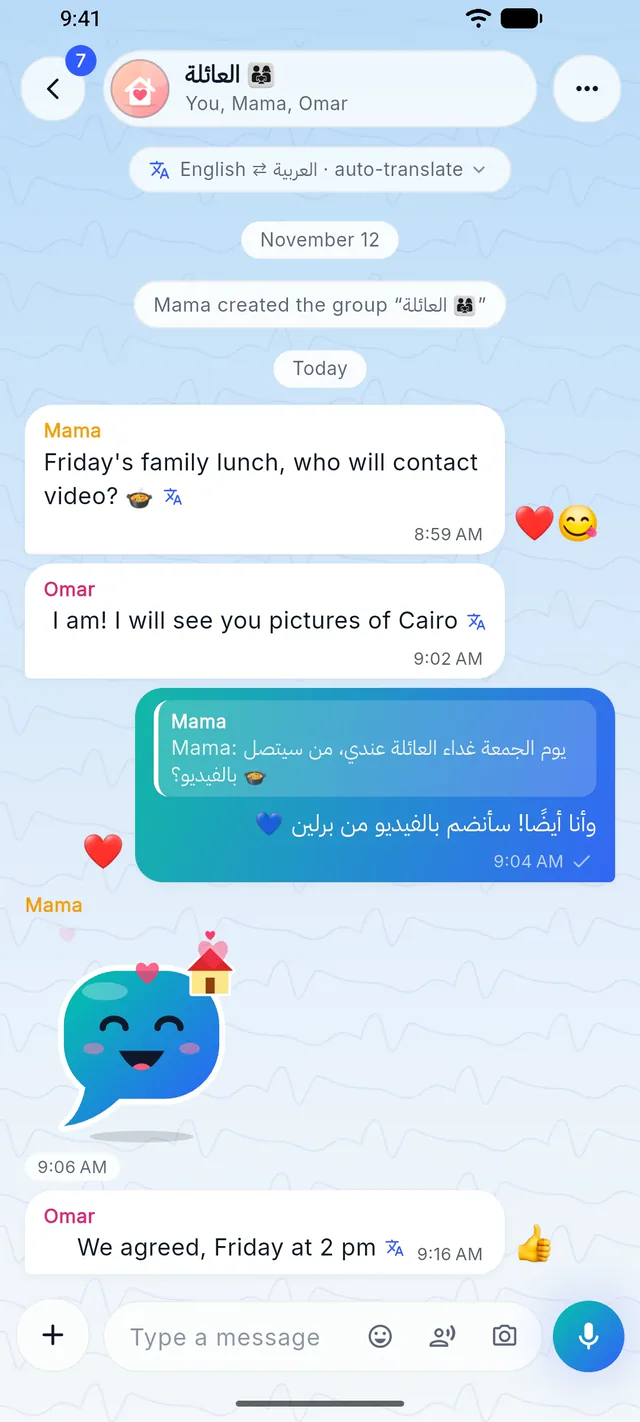
A group for university friends spread over three countries, for a family where half speaks Arabic and half German, or for a small team. In Tellu groups, every member reads the messages in their own language. And alongside groups come two privacy tools: locked chats and disappearing messages.
Create a group
- Messages → New chat → New group.
- Choose the members.
- Name the group, then tap Create group.
You become the admin: change the name and photo, add and remove members, and make others admins. A group holds up to 100 members. Group calls aren’t available yet.
Locked chats
For chats you don’t want anyone holding your phone to see: open the person’s profile → Lock chat. It opens with your fingerprint or phone PIN, moves to the Locked chats folder, and its notifications only say “Tellu · New message”. You can even hide the whole folder, then open it by long-pressing the “Messages” title.
GroupsEveryone reads in their languageOpenDisappearing messages
From the person’s profile → Disappearing messages, choose 24 hours or 7 days, and messages are deleted for both of you, in groups too. For all new chats: More → Privacy → Message timer for new chats, off by default.
Privacy
Groups work like regular chats: encrypted in transit and stored encrypted on our servers in Germany, so translation works and they reach all your devices. End-to-end encryption is available in an encrypted chat between two people.
More on the Groups page.