





The right words
In the right tone
Write it your way, then ask Tellu to make it friendlier, more formal or shorter, or to write it in your friend’s language with the meaning in yours. And the smart mediator sums up a long chat and suggests three replies.
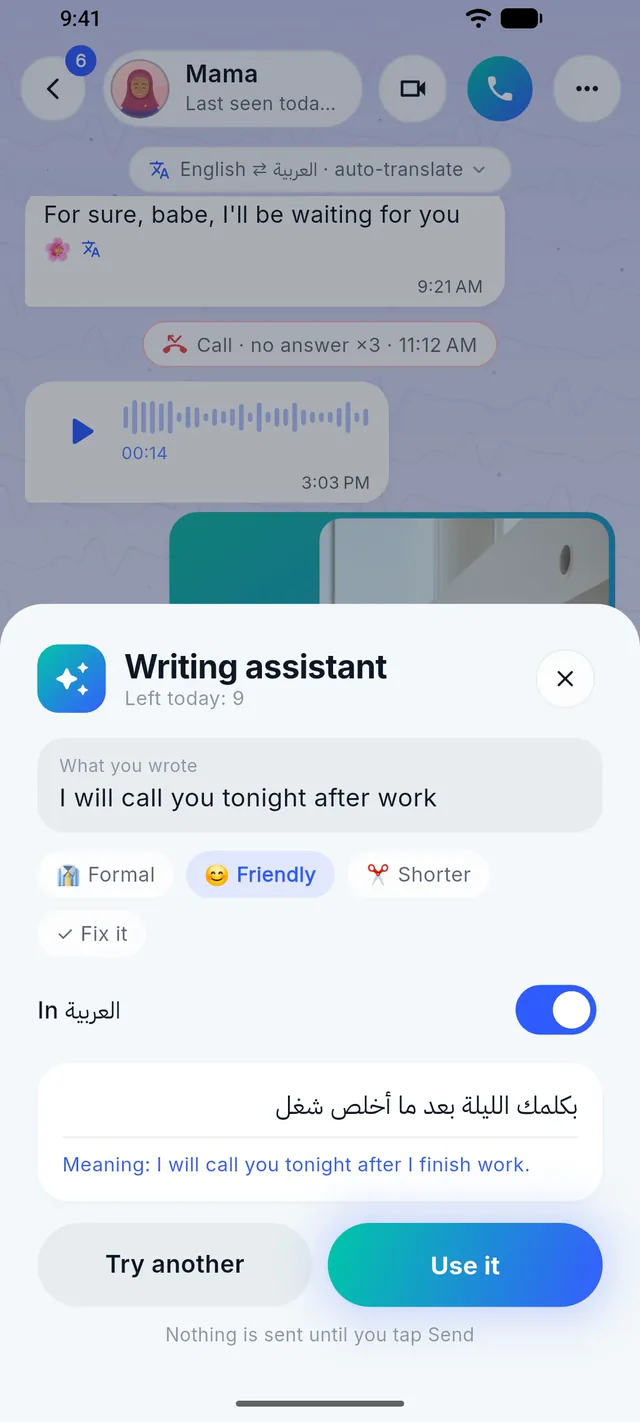
Friendly, formal, shorter, or fixed
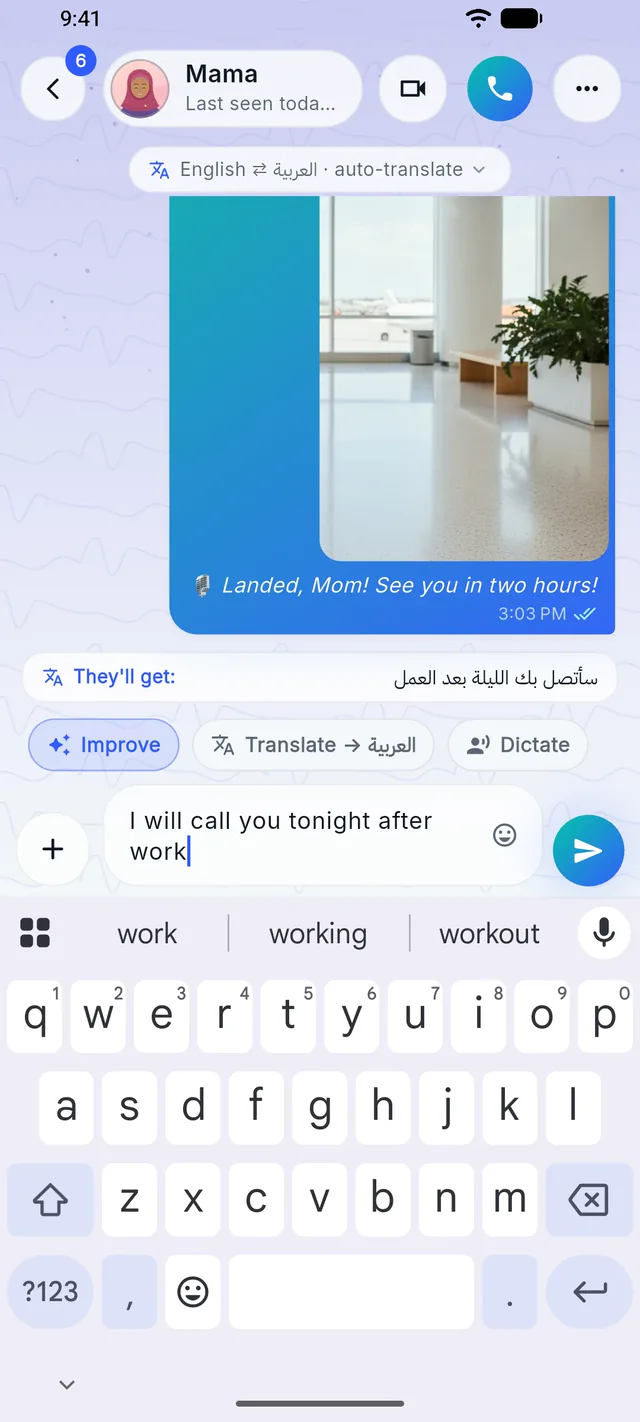
Tap Improve ✨ above the message field. You see the result before sending, then choose “Use it” or “Try another”. Translate writes it in your friend’s language, and Dictate types it from your voice. The default tone follows the person’s circle: friendly for family, formal for work.
- 4 options: Friendly · Formal · Shorter · Fix it
- “Write it in their language”, with the meaning in yours
- Automatic tone based on the circle
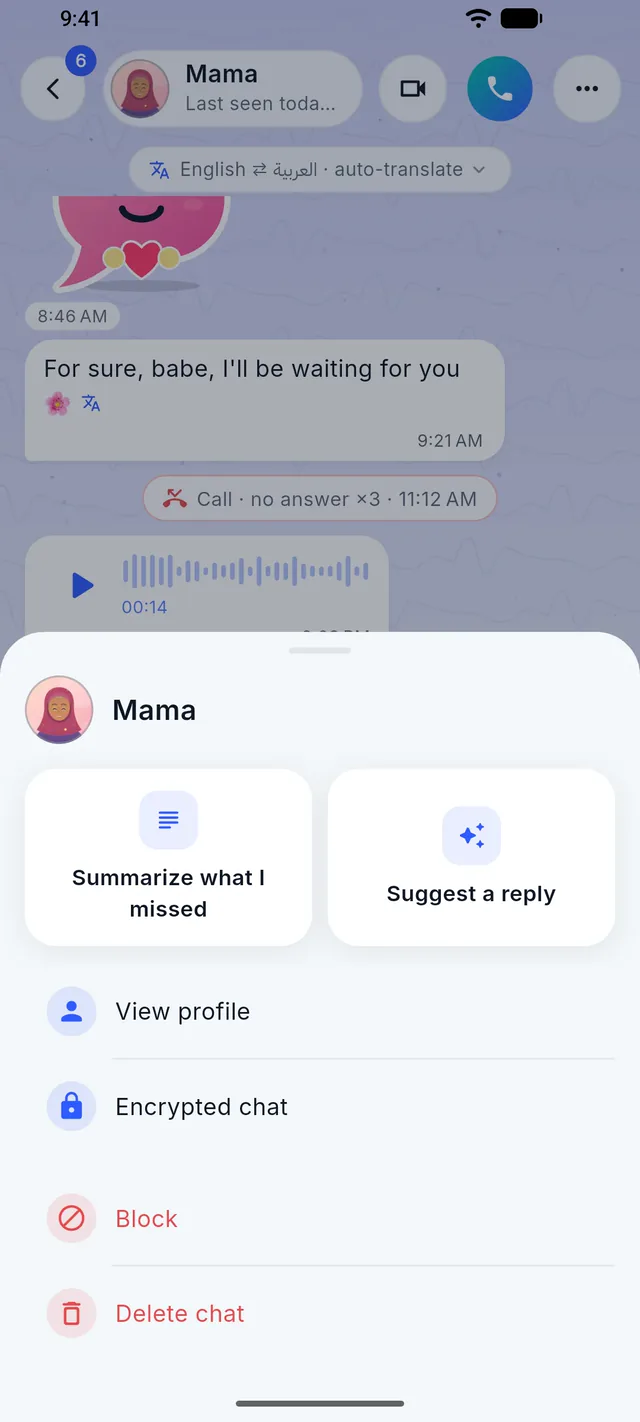
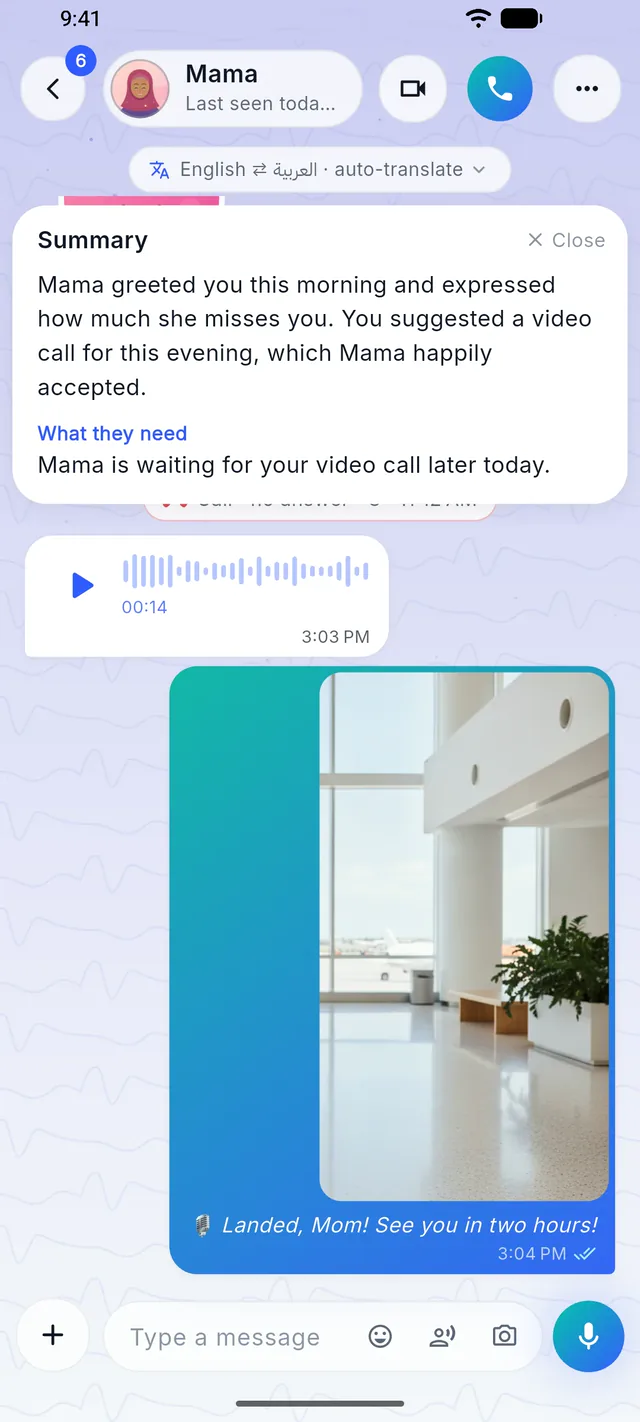
A long chat? The gist in seconds
From the chat menu, choose “Summarize what I missed”: a summary of what was said and what the other person needs, shown at the top of the chat. Or “Suggest a reply”: three suggested replies to pick from or edit.
- A summary
- What the other person needs
- 3 suggested replies
Three steps and you’re in
Write your message
The way you’d say it.
Tap ✨
And pick a tone or language.
Use it or edit it
Then send it yourself.
Does the assistant send messages for me?
No. Nothing is sent until you tap Send.
Are my messages stored?
We don’t store the chat text for this. And the tools are off in encrypted chats.
Is it free?
Yes, with a daily allowance shown in the app.
Your people are one message away
Get Tellu for free. Messages and calls between Tellu users are always free.
 Scan with your phone camera to get Tellu