





As if in the same room
Even across a sea
Free voice and video calls between Tellu users, wherever they are. A clear picture, less noise, and written translation if you need it.
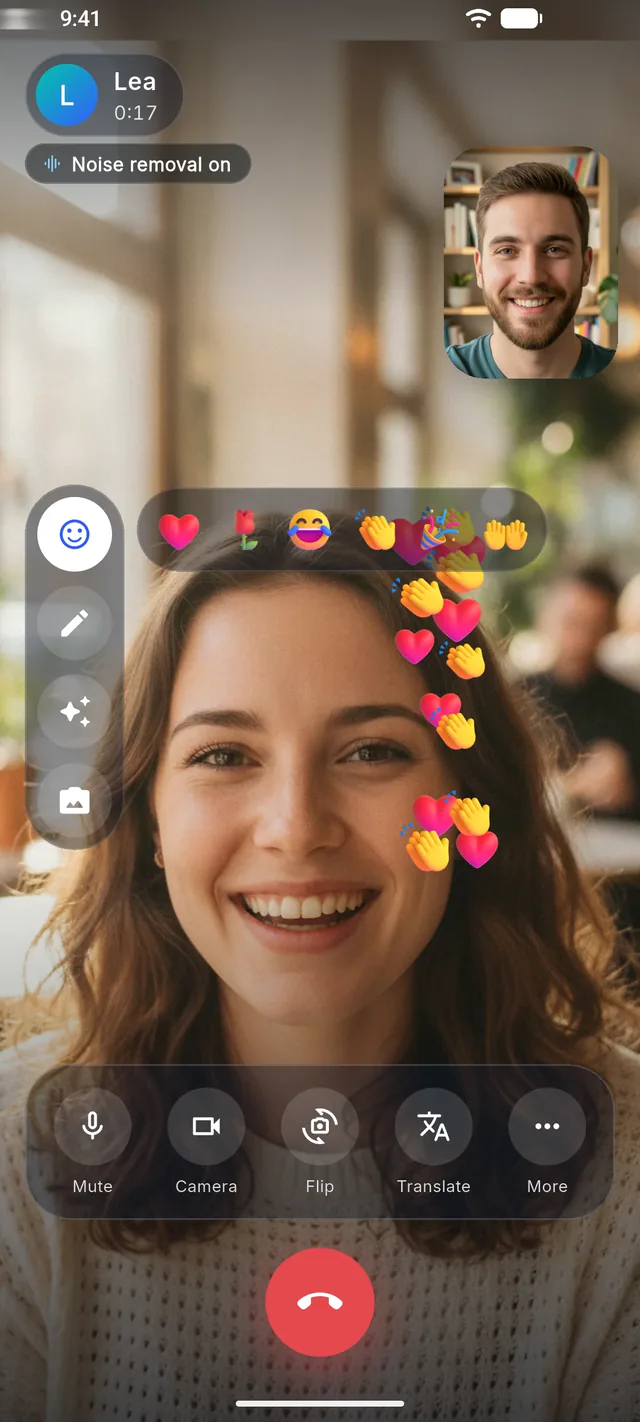
A close voice, a calm screen
The call screen takes the color of the sky at that hour, and its buttons sit in one place: mute, speaker, video and translation. Switching to video is one tap.
- Free between Tellu users, over the internet
- Switch to video during the call
- Written translation when you need it
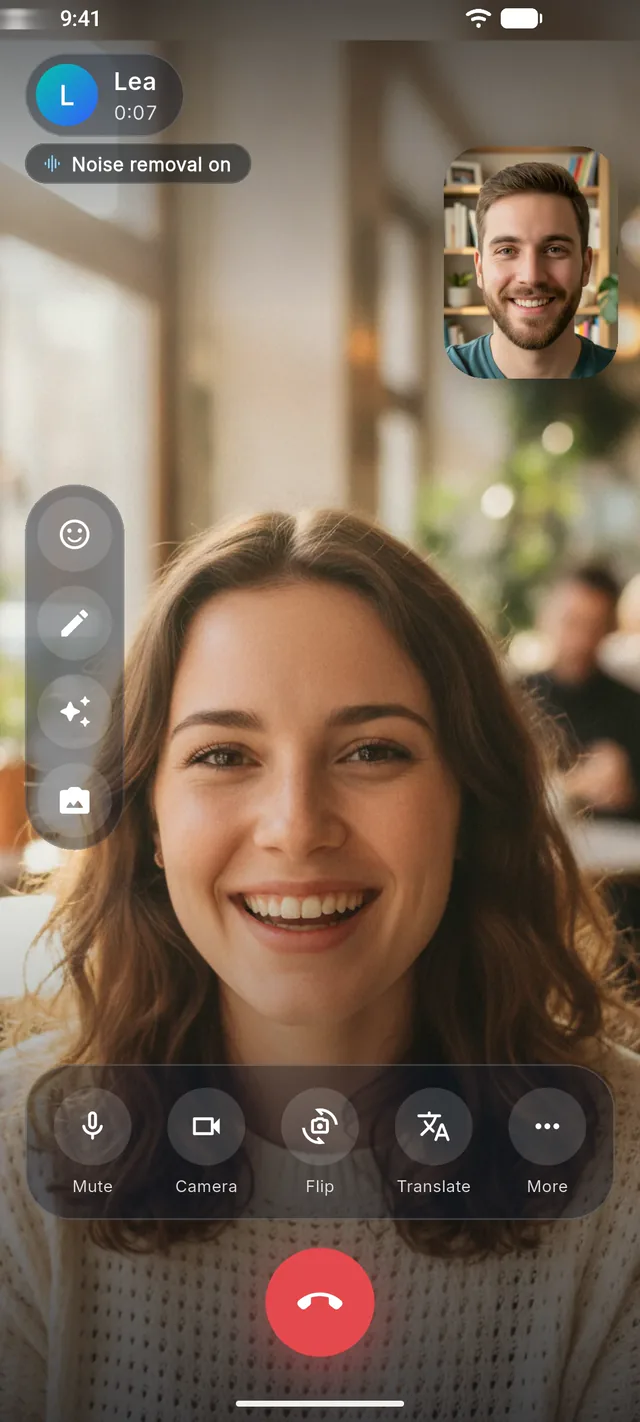
See your camera before you answer
When a video call comes in, you see yourself before you answer, then choose: answer with video, with voice only, or turn the camera off.
- Answer with voice only if you like
- Noise removal during the call
- Light camera effects and filters
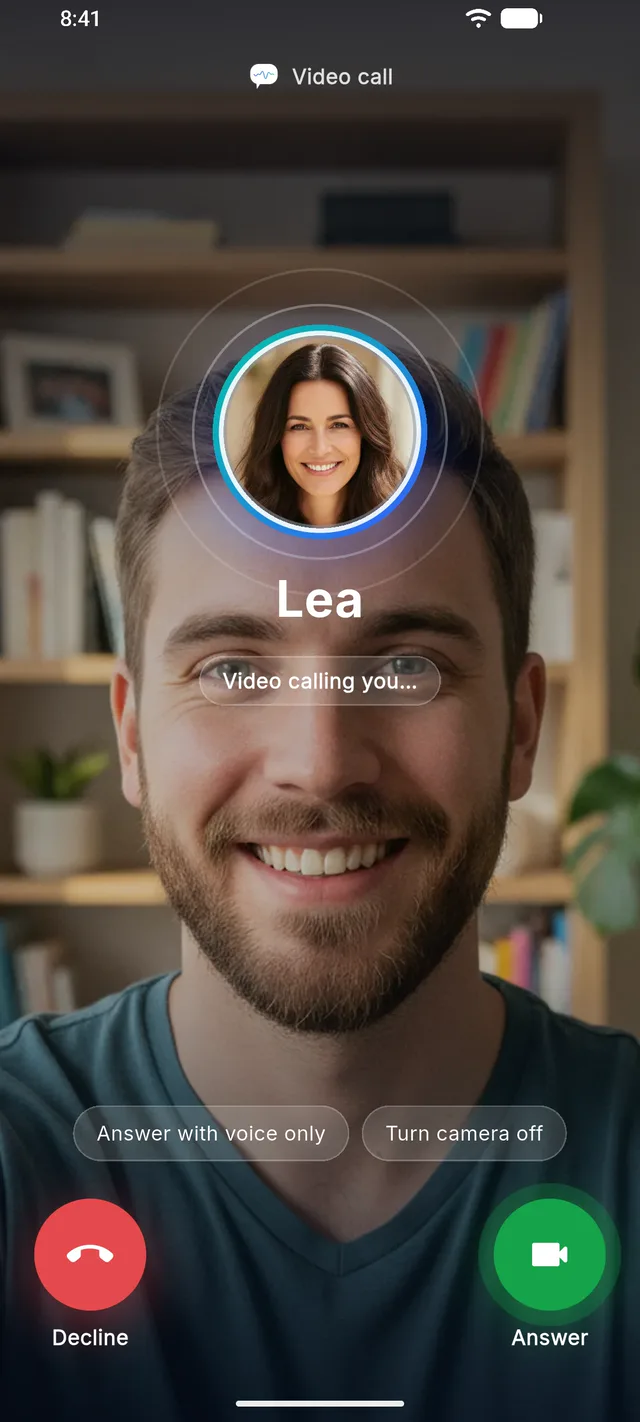
Calls full of life
Send a heart or a kiss with a gesture of your hand, look your best or change the mood, and explain with your finger.
- Reactions with a gestureA move of your hand sends reactions flying in lively 3D on both screens. And when each of you makes one half, a shared heart comes together.
- Touch-up, filters and lenses“Enhance” for low light, a touch-up, 9 color filters and 6 playful face lenses.
- “Follow me”Keeps your face in the middle of the picture as you move, so you can walk and talk.
- Draw, and see their placeDraw on the screen with your finger to explain: you both see it, then it fades. Or ask “Show me the place” and, once they agree, their back camera shows you what is around them.
Gestures and effects run on your phone only: no camera image is sent anywhere to process them.








Your voice, not the street
Noise removal runs on your phone during the call: it sends your voice and softens what is around you, like traffic, wind or the kitchen. It’s on from the start of every call: a “Noise removal on” badge shows at the top, and you can turn it off any time.
- Runs on your phone
- A visible badge in the call
- On by default in every call
Straight from phone to phone
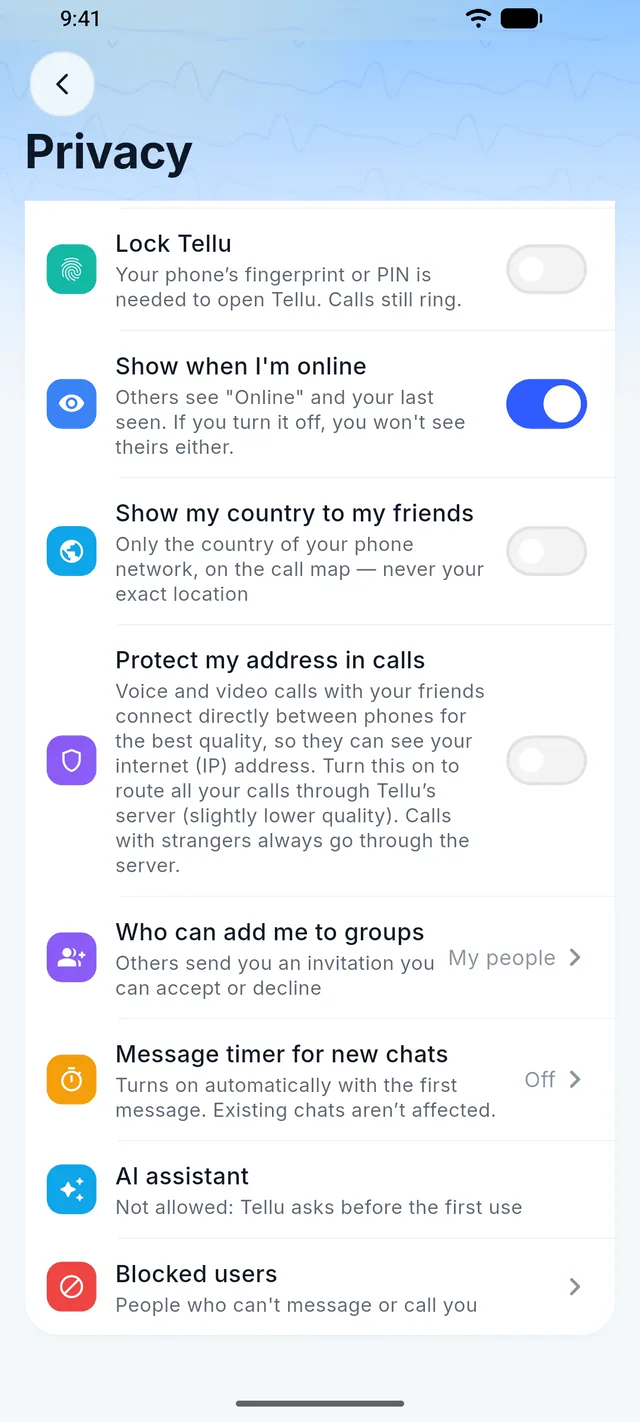
A video call between two friends goes straight from phone to phone whenever possible, and it is encrypted in transit. If you don’t want your connection address to be seen, turn on “Protect my address in calls” and it goes through our servers.
- Direct between the phones when possible
- “Protect my address in calls” option
- Calls with strangers always go via the server
What time is it for them now?
Tellu shows the time where the person you’re calling is. Try a city.
A good time to call them.
Three steps and you’re in
Open a chat or the person’s page
From “People” or from the chat.
Tap the phone or camera button
Their phone rings even if the app is closed.
Talk without counting minutes
The call only uses the internet.
Before you ask
Guides in the help center
Video callsGestures and reactions in callsFix notification and ringing problemsAre calls really free?
Yes, between Tellu users. A call only uses internet data, and a video call uses more than a voice call.
Can I call someone who isn’t on Tellu?
Yes: with paid international calls to any mobile or landline, or by sending a Bridge link they can use to talk to you from the browser.
Are there group calls?
Not yet. Calls are between two people for now.
Do calls work on a computer?
Yes. If you link Windows or Tellu Web to your phone, both ring together and you answer on either.
Your people are one message away
Get Tellu for free. Messages and calls between Tellu users are always free.
 Scan with your phone camera to get Tellu