





One phone
With your computer alongside
Your Tellu account lives on one phone. Link a computer to it by scanning a code or with your phone number: calls ring on all your devices together, and “My devices” moves your files between them. Money stays on the phone.
It rings here and there
Incoming calls ring on your phone and computer together. Answer on either, and if you decline on one, it ends on all. You can call from your computer too.
- Rings on every device
- Decline on any device to end it
- International calls from your computer, with a daily limit

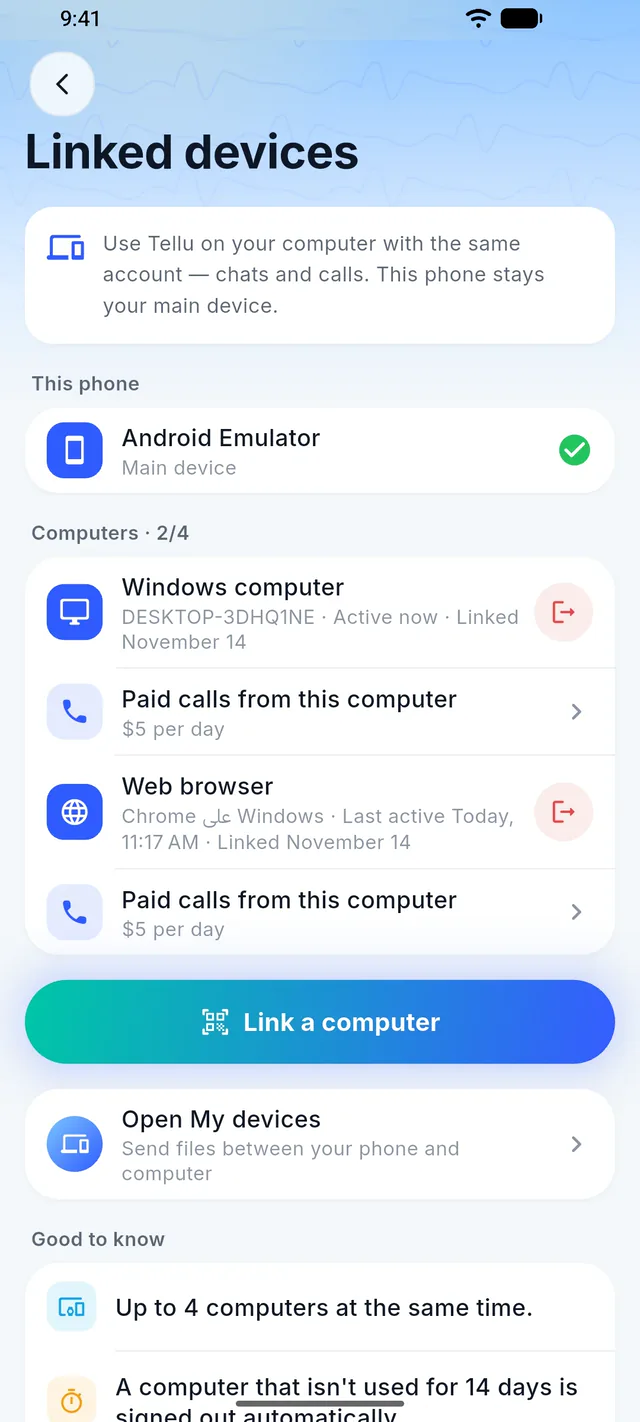
See every device. Sign it out in one tap
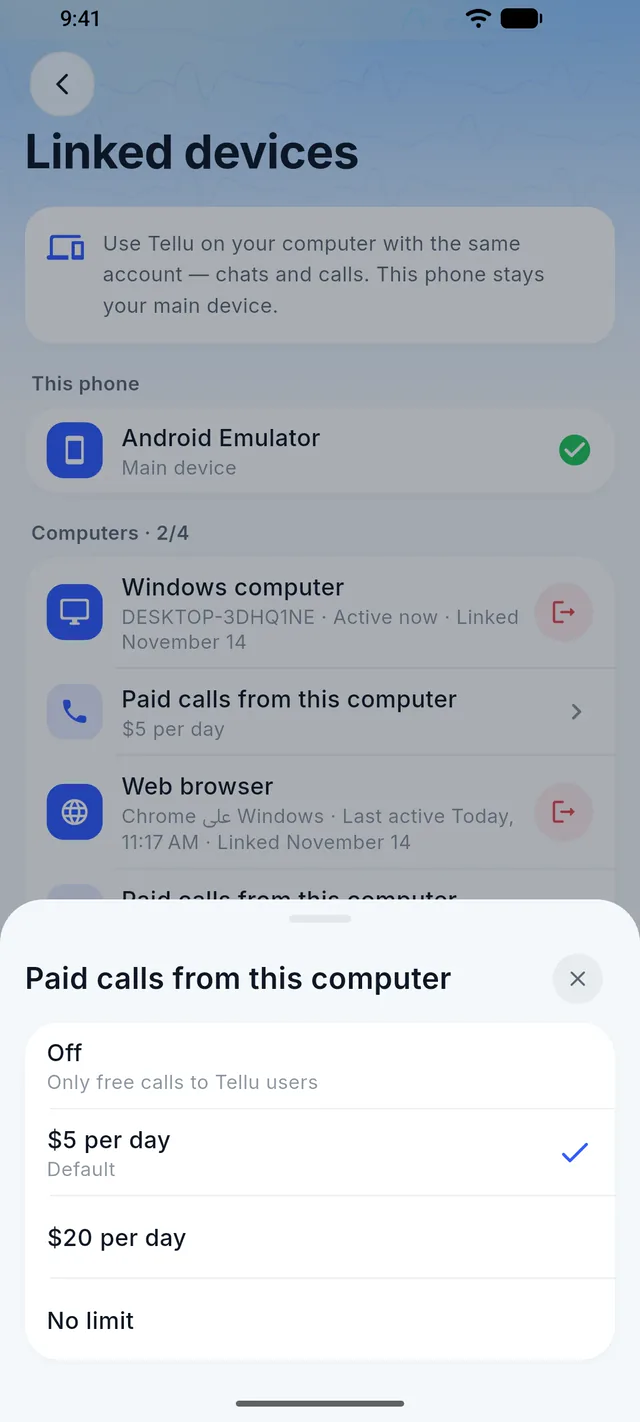
In Linked devices on your phone, you see every computer and its last activity, and can unlink it instantly. You set a daily limit for paid calls from each computer: off, $5 or $20 a day, or no limit. Top-ups, purchases and transfers happen on the phone only, and encrypted chats stay there too.
- A daily paid-call limit ($5 by default)
- Unlink instantly
- A sign-in history for your account
A chat with yourself, on all your devices
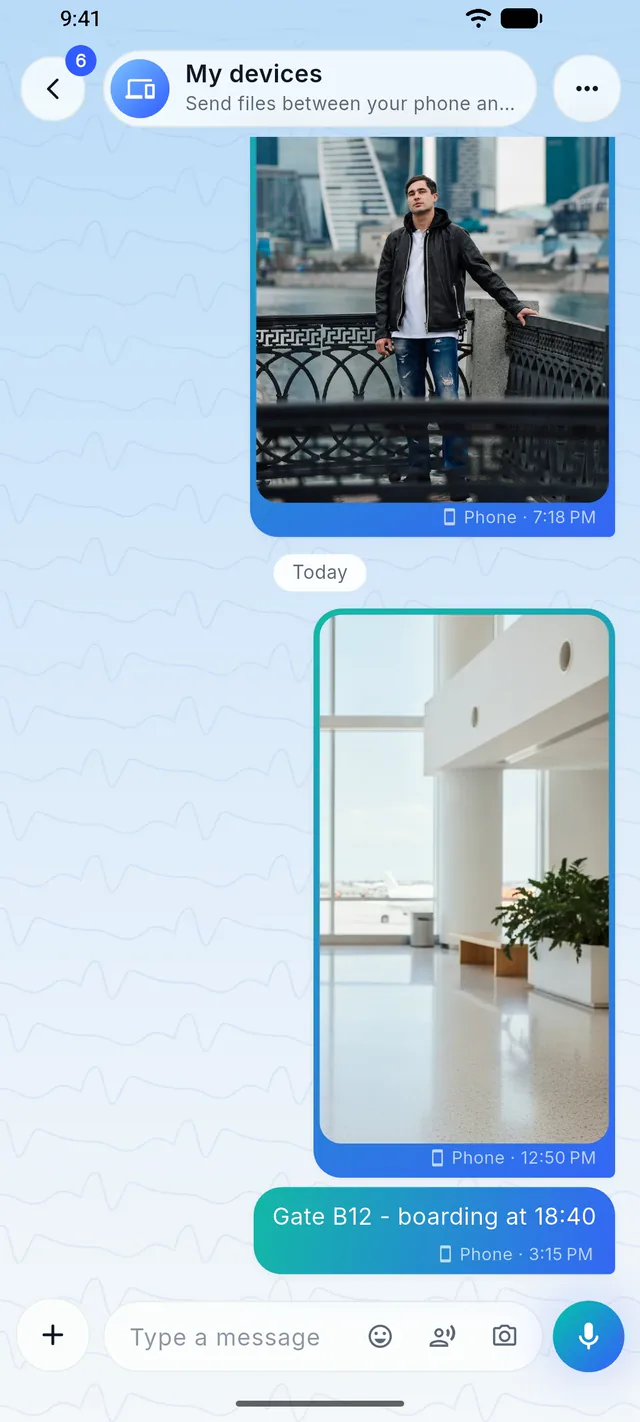
The “My devices” chat appears once you link a computer. Send yourself notes, photos and files there, and they show up on your phone and computers.
- Notes and files across your devices
- Pin it to the top
- The device name under every message
Scan the code and pick up where you left off
Or type your phone number on the computer, and you get a code to enter on your phone.
- Open Tellu on your computer
A QR code appears on screen.
- Scan it with your phone
More → Linked devices → Link a computer, then confirm.
- Linked
Your chats are on the computer, and calls ring on both.
Before you ask
Can I use my account on two phones?
No. Tellu runs on one phone. When you sign in on a new phone, the old one is signed out.
How many computers can I link?
Up to 4 at a time. You see them all in Linked devices and can unlink any of them whenever you like.
Can I top up from my computer?
No, money stays on your phone, to protect you.
Your people are one message away
Get Tellu for free. Messages and calls between Tellu users are always free.
 Scan with your phone camera to get Tellu