





A heart with your hands
On both screens
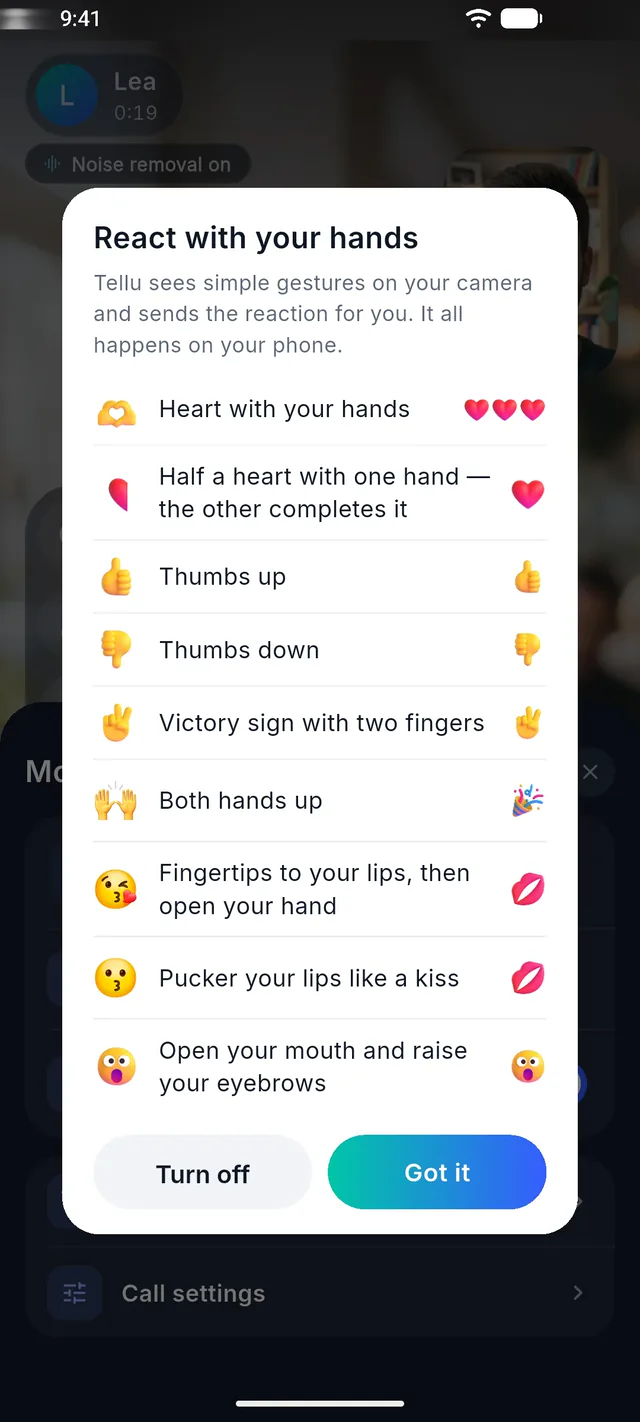
On a video call, Tellu recognizes simple gestures in front of the camera and sends the reaction for you: a heart, a thumbs up, victory, a kiss, wow. You can also draw on the screen, or ask “Show me the place”.








Your hands are enough
Turn on “Gesture reactions” once, and Tellu recognizes your gestures in front of the camera and sends the reaction for you. The first time, it downloads a small model to your phone, and the picture never leaves it for this.
- 🫶 Heart hands · ✌️ Victory · 🙌 Both hands up → 🎉
- 👍 Thumbs up · 👎 Thumbs down
- 😘 Fingertip kiss · 😗 Lips kiss · 😮 Wow
One half from you, one from them
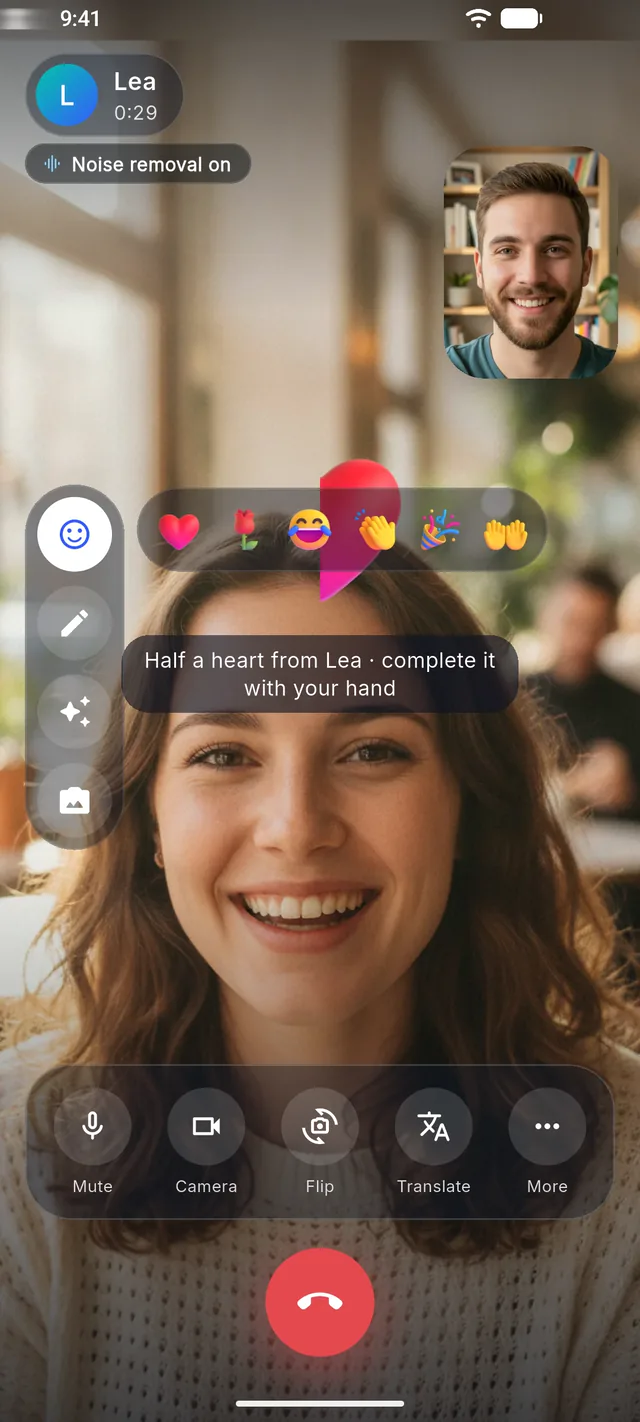
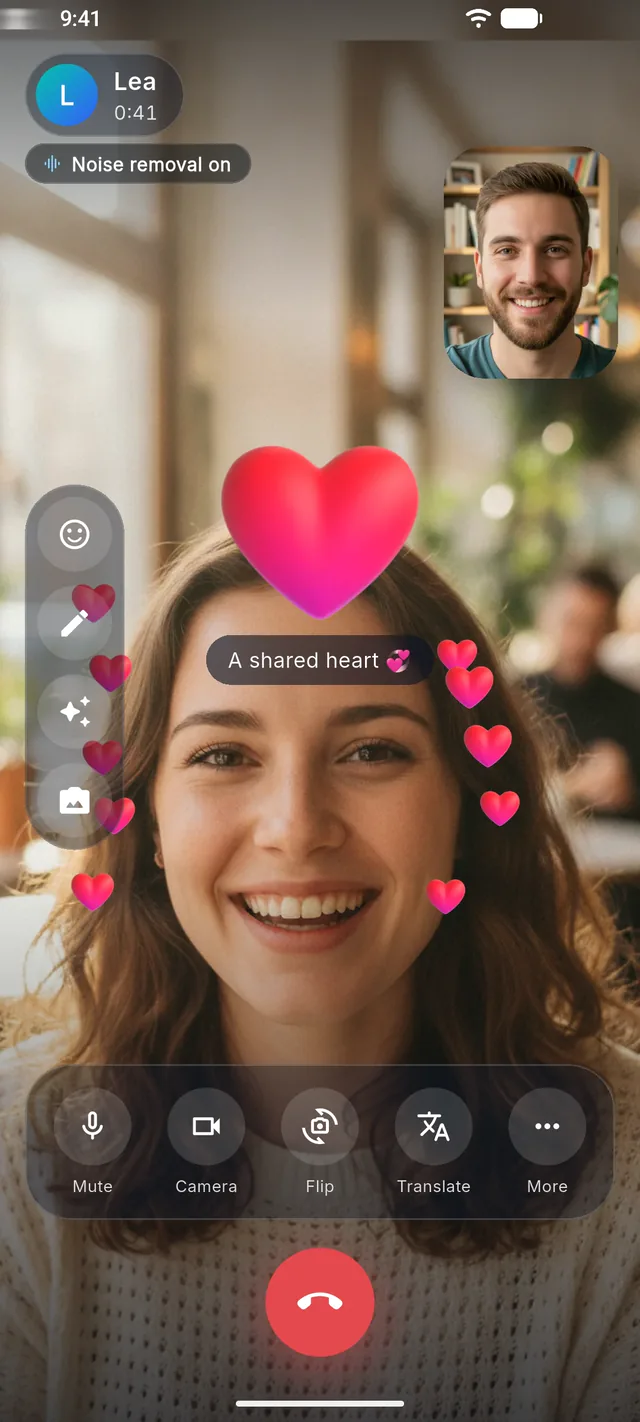
Make half a heart with one hand, and they see “Half a heart from Lea · complete it”. When they complete it with their hand, the heart comes together on both screens.
- A gesture shared by two people
- It completes when the other person answers it
- A small moment that makes you both laugh
Draw, point, and see their place
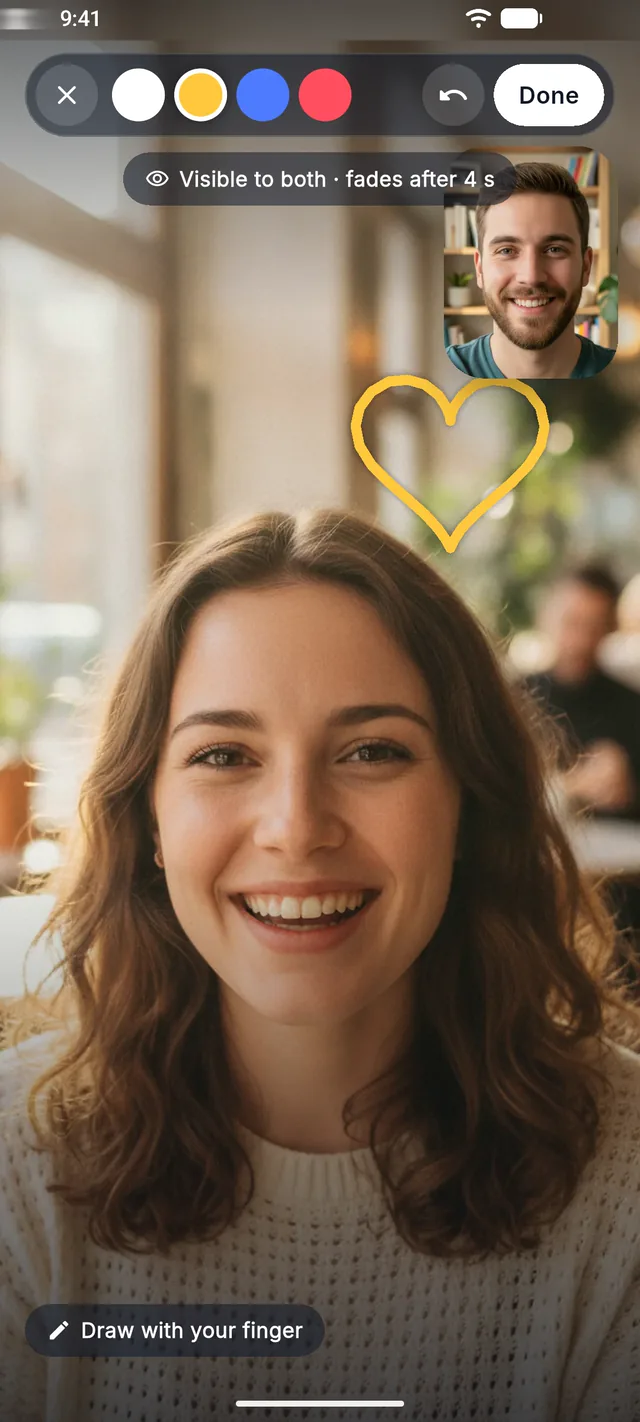
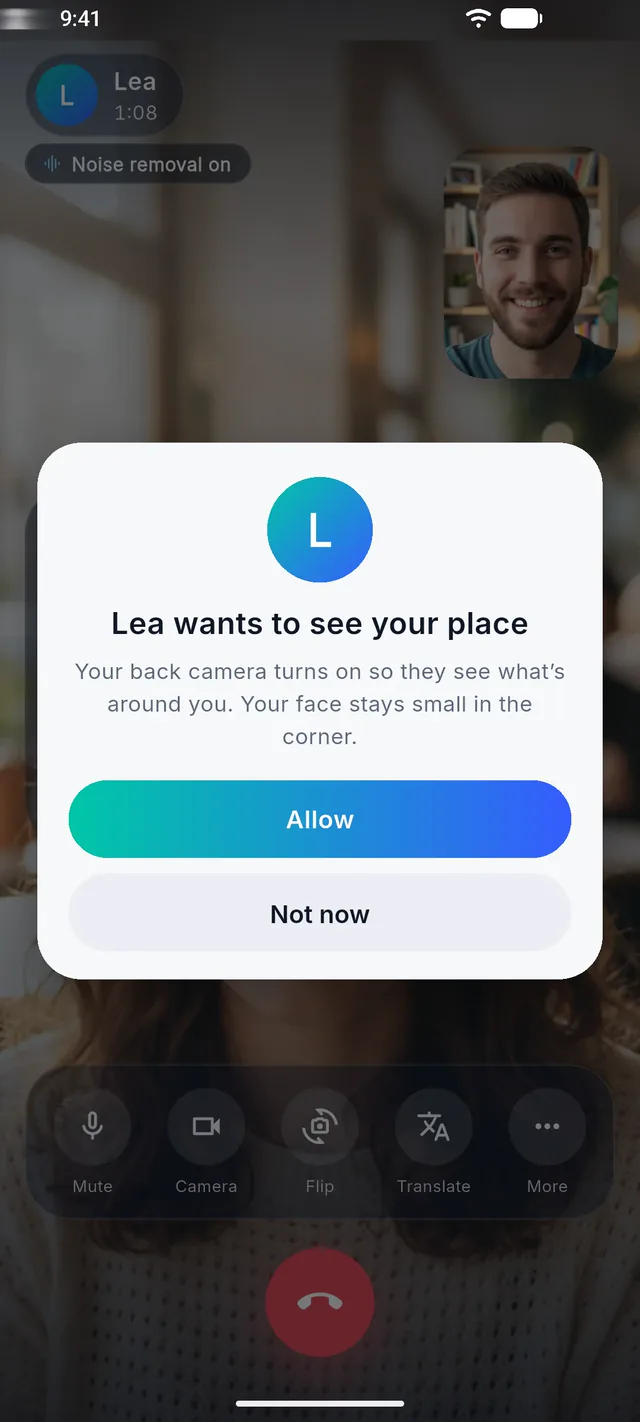
Drawing on the screen is visible to both of you and fades after 4 seconds. “Show me the place” asks the other person to turn on their back camera so you can see what is around them, with their face small in the corner, and it only starts if they agree.
- Finger drawing in colors, with “Undo”
- “Show me the place”, only if they agree
- Quick reaction buttons: ❤️ 🌹 😂 👏 🎉 🤲
Look the way you like
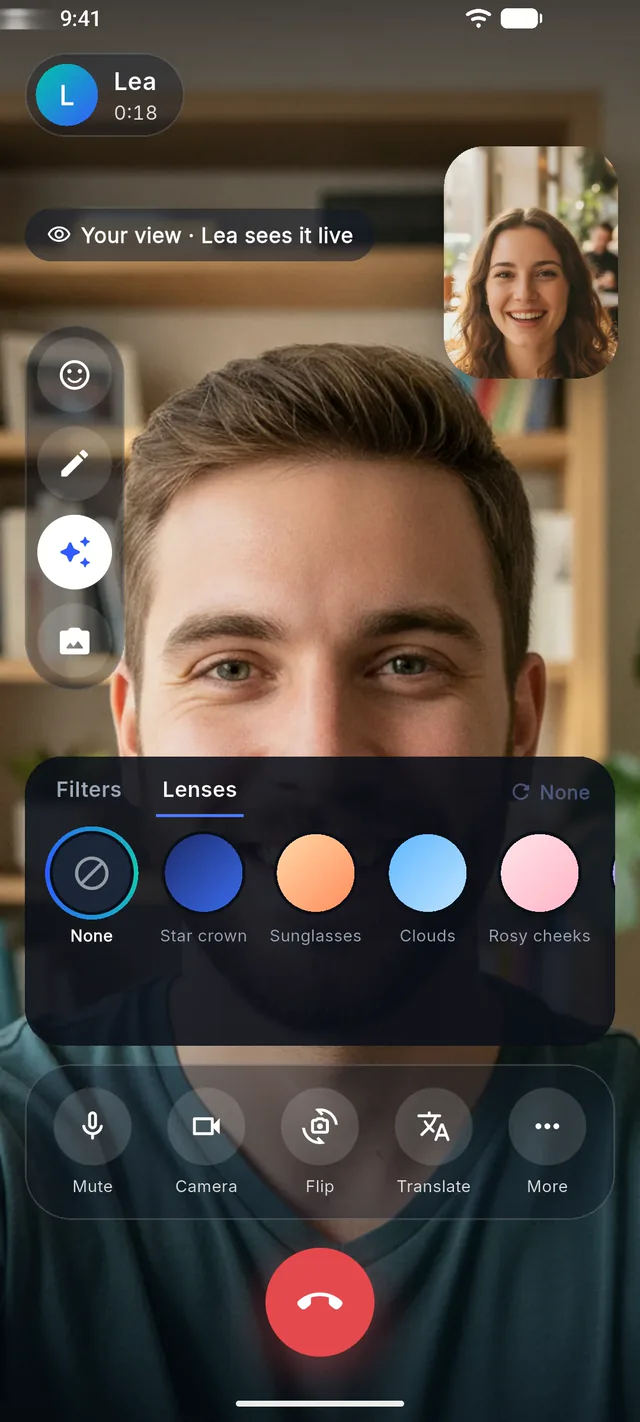
The same nine filters as the Tellu camera, a two-level “Touch-up” for your skin, “Enhance” for low light, and “Follow me”, which keeps your face centered as you move. Plus playful drawn lenses: star crown, sunglasses, clouds, rosy cheeks, party hat, sky arc. All of it runs on your phone only, and no camera image is sent anywhere to process it.
- 9 filters · Touch-up · Enhance
- “Follow me” keeps your face centered
- 6 drawn lenses · Noise removal
Pick a gesture and see what arrives
A simplified demo. In a real call, reactions fly up the side of both screens, and the other person sees who sent them.
In front of the camera you make:
Recognized on your phone only. Both of you see the reaction.
Three steps and you’re in
Start a video call
With any friend on Tellu.
Tap “More” at the bottom of the call
And turn on “Gesture reactions”.
Make a heart with your hands
The heart flies on both screens.
Before you ask
Guides in the help center
Gestures and reactions in callsDrawing on the screen“Show me the place”Switching from voice to videoIs my picture sent to your servers to recognize gestures?
No. Recognition happens on your phone only, and the picture is not sent anywhere for it.
Do they work in voice calls?
No. Gestures need the camera, so they work in video calls, and so do the reaction buttons.
Does the other person have to turn them on?
No. They see the reactions you send. If they want to send with their own gestures, they turn it on on their phone.
Can I turn them off?
Yes, any time from “More” during the call, or in More → Appearance & sounds.
Your people are one message away
Get Tellu for free. Messages and calls between Tellu users are always free.
 Scan with your phone camera to get Tellu