





Every relationship has its place
Every circle, its rules
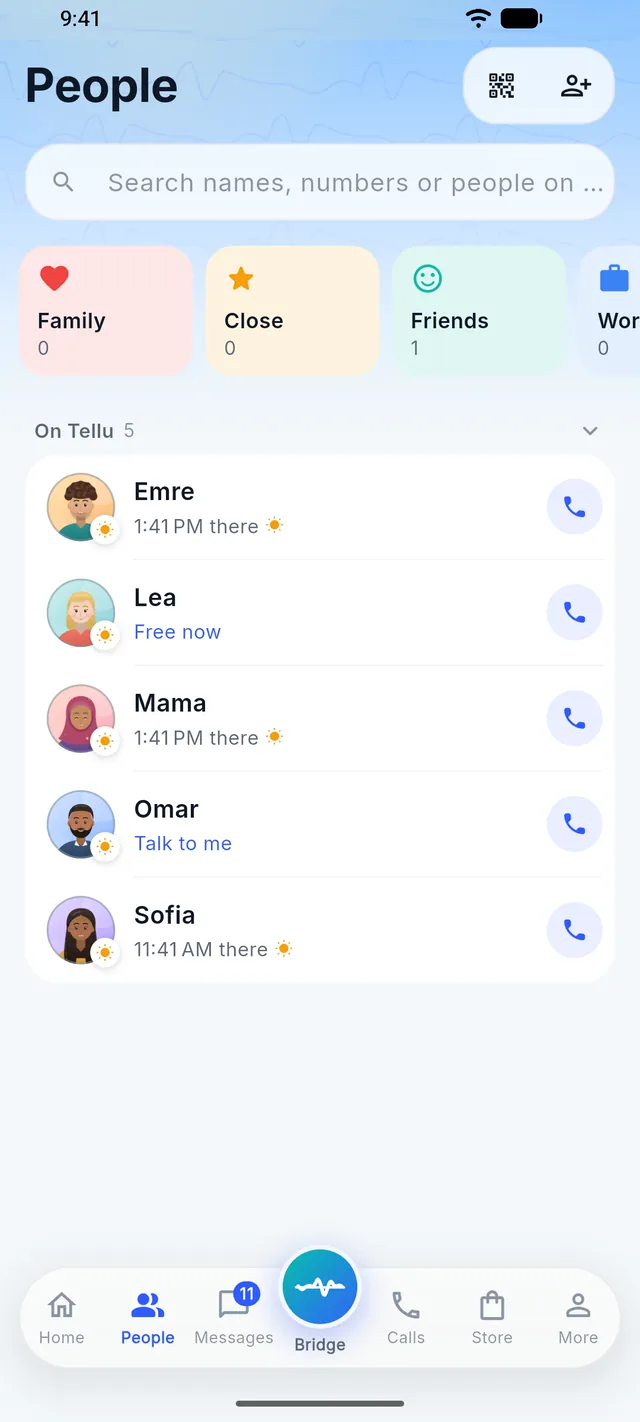
Family, close friends, friends, work and clients. Tellu suggests a circle for each person, and you decide. Work can go quiet after hours, while family always gets through.
Family on top. Always
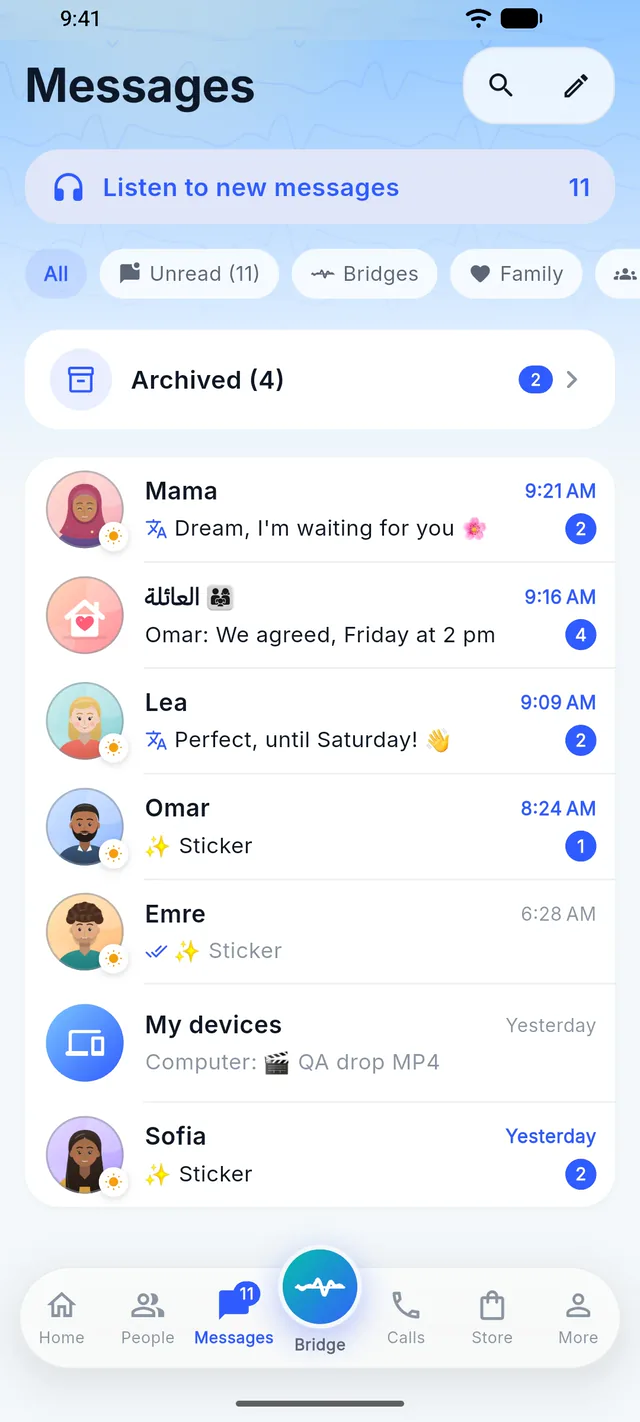
When your chats pile up, Tellu groups them into sections: family first, then the most active. Reorder them as you like, or hide the sections.
- Automatic sections in Messages
- Manual order if you prefer
- Hide sections with one tap
Work goes quiet after hours
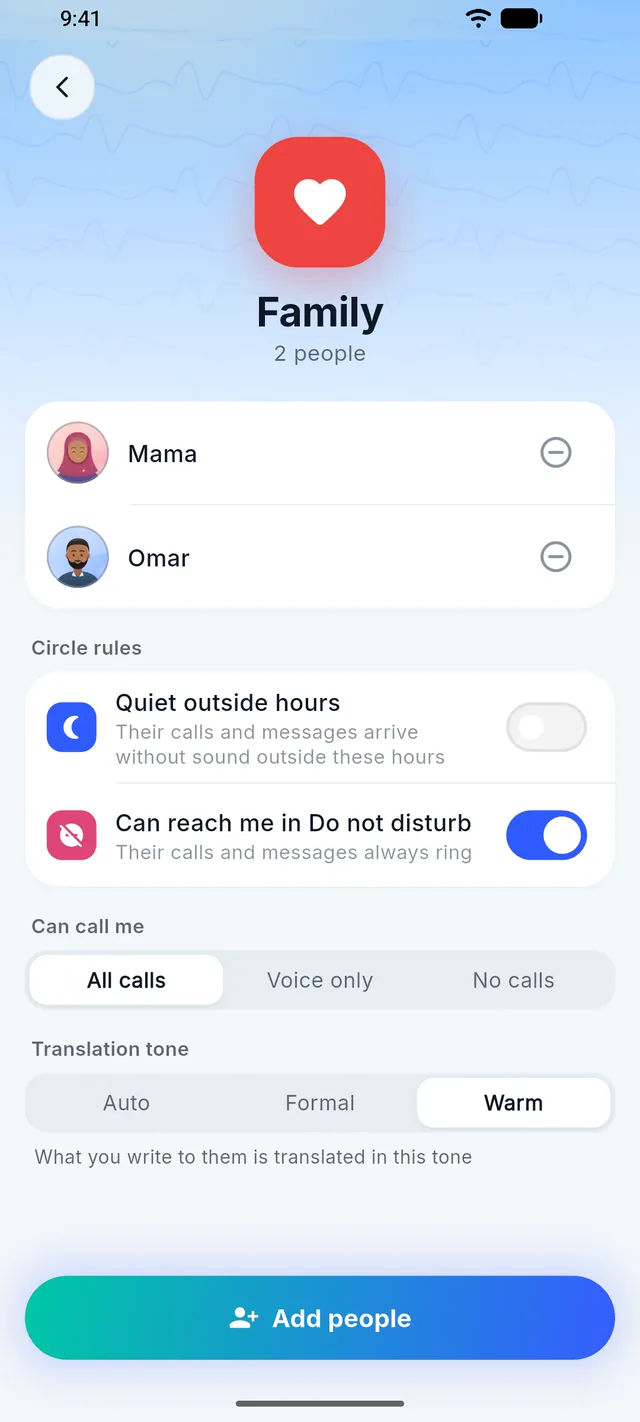
Each circle can have quiet hours and days, an auto-reply once a day, and a tone for what you write to them after translation: warm for family, formal for work. You can also let family ring through even on Do not disturb.
- Quiet hours and days off
- An auto-reply once a day
- Who in each circle can call you
Never miss a day that matters to them
Birthdays from your contacts or added by you, with a reminder the day before. And if a week goes by without talking to someone in your family, Tellu gives you a gentle nudge.
- Birthdays, with a reminder before
- A gentle nudge after a quiet week
- A Tellu greeting card

Pick a circle and see its rules
These are examples of the default rules. You can change everything from the circle’s page.
Your circles and their rules are on your phone, and no one sees which circle you put them in.
Family
Three steps and you’re in
Open People
Your circles are at the top.
Accept or change Tellu’s suggestions
Like “Mama? Family ✓”.
Set each circle’s rules
Quiet hours, auto-reply and tone.
Before you ask
Do people know which circle I put them in?
No. Your circles are yours alone and never shown to anyone.
How does Tellu know someone is from work?
From their name in your contacts and when you usually talk, worked out on your phone. It never adds anyone to a circle without your OK.
Do I lose my circles if I change phones?
No. An encrypted backup is kept and moves with you.
Your people are one message away
Get Tellu for free. Messages and calls between Tellu users are always free.
 Scan with your phone camera to get Tellu