





 Scan with your phone to install Tellu
A video call isn’t only talking. Sometimes you want to send a heart while your friend shares good news, point at a dish on a menu, or see the street your brother is standing in on his trip. This update brings tools that make a video call feel closer to being together, and more reliable answering.
React with a tap, or with your hands
In the side buttons, tap React and a ❤️ floats up both screens, or long-press it to pick from ❤️ 🌹 😂 👏 🎉 🤲. Turn on Gesture reactions from More during the call and you only need to make the gesture to the camera: a heart with your hands, thumbs up or down, a victory sign, both hands up or a hand kiss, and Tellu sends the reaction for you.
Half a heart they complete
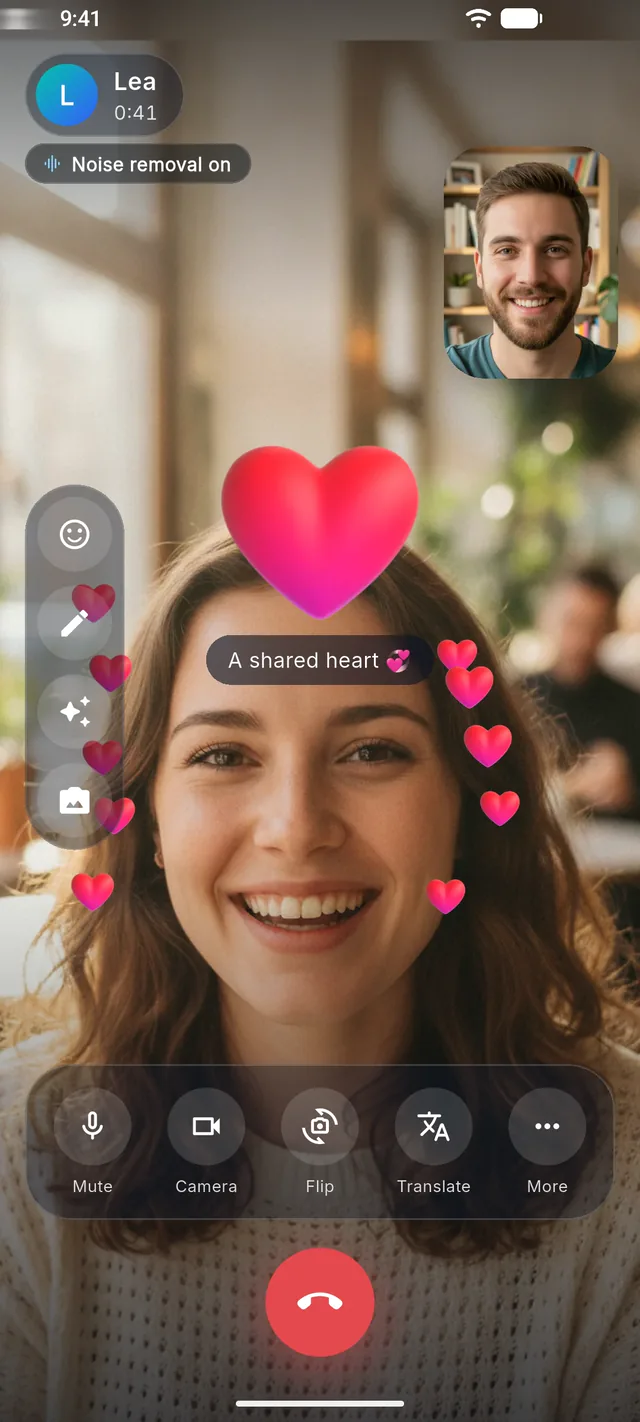
Make half a heart with one hand. Your friend sees “Half a heart from …”, completes it with their hand within a few seconds, and you both see “A shared heart 💞”. A small moment that couples and friends love, and grandchildren with their grandparents too.
Draw on the screen, and “Show me the place”
- Draw on screen: draw with your finger over the video in four colors to point at something, like a button on a device your dad is asking about. You both see it, and it fades after 4 seconds.
- Show me the place: ask your friend to show you what’s around them. If they tap Allow, their back camera turns on and their face stays small in the corner. They can stop showing at any time.
More reliable answering
We also improved what happens when a call comes in while the app is in the background: Tellu gets ready for the call faster when the call notification wakes it, and an old tap on “Answer” can no longer pick up a later call by mistake. Drawings also line up on both screens.
Privacy
Gestures are recognized on your phone only; your picture and the points of your face are never sent to Tellu. Drawings pass through our server to reach your friend and aren’t stored. The back camera never turns on without its owner’s permission. The first time you turn gestures on, Tellu downloads a small model (about 12 MB) once, so Wi-Fi is best.
The full table of gestures and what they send is on the Gestures page.